


Ramp Software Review (2026): Is It The Smartest Finance Platform For Growing Businesses?
Going from five employees to twenty in under two years is an incredible milestone. Until you look at the company bank account.
Suddenly, everyone is buying software subscriptions, booking flights, upgrading laptops, and dropping random receipt files into Slack.
Your accountant is losing hours chasing down paper trails, and you’re left wondering where the runway went.
That’s usually the exact moment founders start looking at Ramp software.
On paper, it looks like just another slick corporate card. But Ramp claims to do something much harder: actually cut your spending and automate the annoying financial backend.
Does it live up to the hype, or is it just clever marketing draped over a basic expense tracker?
In this guide, we break down how Ramp holds up in the real world, where it falls flat, and how it compares to standard alternatives like QuickBooks, Xero, FreshBooks, and Float.
Quick Verdict
| Category | Our Rating |
| Ease of Use | ⭐⭐⭐⭐⭐ (4.8/5) |
| Expense Management | ⭐⭐⭐⭐⭐ (4.9/5) |
| Automation | ⭐⭐⭐⭐⭐ (4.8/5) |
| Reporting | ⭐⭐⭐⭐☆ (4.6/5) |
| Value for Growing Businesses | ⭐⭐⭐⭐⭐ (4.8/5) |
| Overall Rating | 4.8/5 |
Best For
- Startups
- Small and medium-sized businesses
- Remote teams
- Finance managers
- Businesses looking to automate expense tracking
May Not Be Ideal For
- Sole proprietors with very simple finances
- Businesses that only need basic bookkeeping
- Companies operating in regions where Ramp’s services are unavailable
What is Ramp Software?
Ramp Software is a financial operations platform designed to help businesses control spending, automate expense management, issue corporate cards, manage reimbursements, pay bills, and gain better visibility into company finances.
Instead of replacing your accounting system, Ramp often works alongside it.
Think of it this way.
Your accounting software records what has already happened. Ramp helps you make better spending decisions before money leaves your business. That’s an important distinction.
Why Businesses Start Looking at Ramp
Most companies don’t wake up one morning and decide they need another finance platform.
Usually, something starts going wrong first. Perhaps employees forget to upload receipts.
Or, maybe expense approvals take days.
A finance manager spends Friday afternoons chasing missing invoices. Or the owner discovers several software subscriptions that nobody uses anymore.
These small problems slowly become expensive ones. That’s exactly the kind of situation Ramp Software aims to improve.
A Realistic Business Scenario
Let’s take a simple example.
A digital marketing agency with fifteen employees has clients across three countries.
Every month, the company pays for:
- Design software
- AI tools
- Advertising platforms
- Travel expenses
- Client entertainment
- Freelancer payments
The owner notices something unusual.
Software spending continues to increase, yet nobody can clearly explain why.
The finance team downloads statements. Department managers send spreadsheets.
Employees search through old emails for invoices. By the time everything is reconciled, another month’s expenses have already arrived.
This isn’t a bookkeeping problem. It’s a visibility problem.
Platforms like Ramp Software are designed to reduce that confusion by bringing company spending into one place and automating many repetitive tasks.
How We Evaluated Ramp Software
Rather than repeating the feature lists from the company’s website, we viewed the platform through the lens of someone choosing finance software for the first time.
Our review focuses on questions business owners actually ask.
Our Evaluation Criteria
| Factor | Why It Matters |
| Ease of setup | Businesses shouldn’t spend weeks configuring software. |
| Expense tracking | Clear visibility helps reduce unnecessary spending. |
| Automation | Less manual work means fewer errors. |
| Reporting | Better reports support smarter financial decisions. |
| Integrations | Finance tools should work with existing accounting software. |
| User experience | Employees should actually enjoy using the platform. |
| Long-term value | Software should continue adding value as the business grows. |
No platform is perfect.
Some excel at budgeting. Others focus on bookkeeping. Again, some specialize in forecasting.
The goal isn’t to find software with the longest feature list. It’s to find software that solves your biggest financial headache.
First Impressions
One thing becomes obvious almost immediately. Ramp doesn’t feel like traditional accounting software. Many finance platforms still look like they were designed ten years ago. To clarify, you will find:
- Lots of menus.
- Dense reports.
- Small buttons.
- Complex navigation.
Ramp takes a different approach.
The interface feels cleaner, modern, and less intimidating, especially for business owners who aren’t accountants.
That doesn’t necessarily make it the best platform. But it does reduce the learning curve. For a growing business, that matters.
Finance Reality Check
Here’s something many software reviews rarely mention.
No expense management platform will magically improve your company’s finances.
If employees ignore company policies, managers approve unnecessary spending, or budgets are never reviewed, even the best software won’t fix those problems.
Technology supports good financial habits.
It doesn’t replace them.
That’s why successful businesses usually combine software with clear spending rules, regular budget reviews, and accountability across teams.
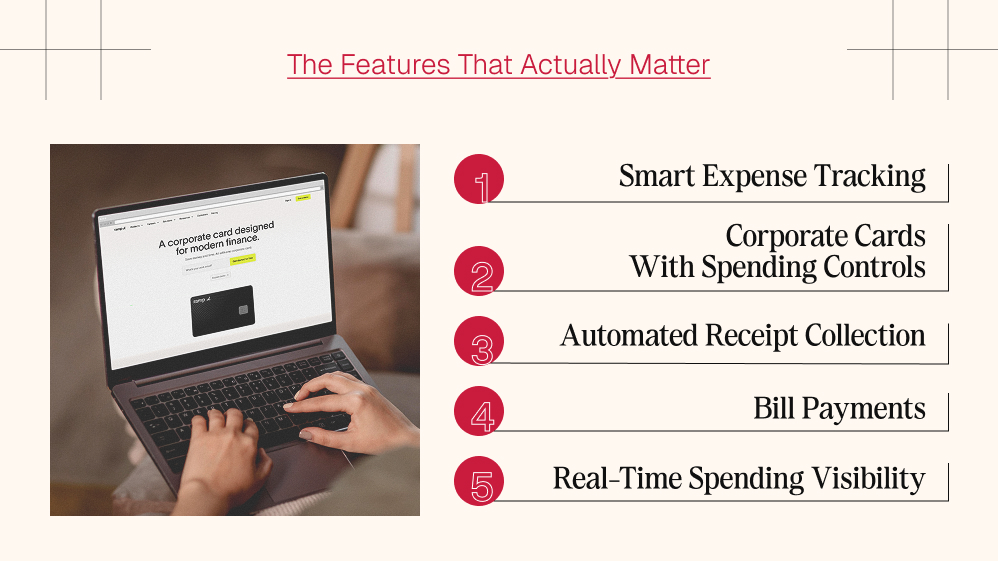
The Features That Actually Matter
Every finance platform advertises dozens of features.
Most businesses regularly use only a handful.
For many growing companies, these are the capabilities that have the biggest day-to-day impact.
Smart Expense Tracking
Instead of manually matching receipts with transactions, Ramp Software automatically captures and organises expense information wherever possible.
That reduces repetitive admin work for employees and finance teams.
Corporate Cards with Spending Controls
Businesses can issue corporate cards while setting spending limits and approval rules.
For example, a marketing employee might have permission to purchase advertising software but not office equipment.
Simple controls like these help prevent accidental overspending.
Automated Receipt Collection
One of the most frustrating parts of expense reporting is reminding employees to submit receipts.
Ramp automates much of this process, making month-end reconciliation considerably easier.
Anyone who has spent hours searching through emails for missing receipts will appreciate this feature.
Bill Payments
Instead of juggling multiple payment methods, businesses can manage vendor payments through a single platform.
For companies working with many suppliers, this can simplify day-to-day financial operations.
Real-Time Spending Visibility
Perhaps the biggest advantage is visibility.
Instead of discovering unnecessary expenses weeks later, businesses can monitor spending in real time.
That makes it easier to adjust budgets before small problems become larger ones.
We’ll compare these features directly with platforms featured in many QuickBooks Online reviews, Xero reviews, FreshBooks review articles, and competitors such as Float Software in the next section.
More importantly, we’ll examine where Ramp Software genuinely performs better, and where another platform may be the smarter choice depending on your business needs.
Ramp Software vs Popular Alternatives
One of the biggest mistakes businesses make is comparing software solely on price or feature count.
That’s rarely how successful companies choose their financial tools.
Instead, they ask a much simpler question:
Which platform solves the problem we’re facing today?
For example, a freelancer tracking invoices has very different needs from a company managing hundreds of employee expenses every month.
That’s why Ramp Software shouldn’t automatically be compared with every accounting platform. Some products overlap, while others solve entirely different problems.
Comparison At a Glance
| Feature | Ramp Software | QuickBooks Online | Xero | FreshBooks | Float |
| Expense Management | ⭐⭐⭐⭐⭐ | ⭐⭐⭐⭐☆ | ⭐⭐⭐⭐☆ | ⭐⭐⭐⭐☆ | ⭐⭐⭐☆☆ |
| Corporate Cards | ✅ | ❌ | ❌ | ❌ | ❌ |
| Expense Automation | ⭐⭐⭐⭐⭐ | ⭐⭐⭐⭐☆ | ⭐⭐⭐⭐☆ | ⭐⭐⭐⭐☆ | ⭐⭐⭐☆☆ |
| Budget Visibility | ⭐⭐⭐⭐⭐ | ⭐⭐⭐⭐☆ | ⭐⭐⭐⭐☆ | ⭐⭐⭐☆☆ | ⭐⭐⭐⭐⭐ |
| Bill Payments | ✅ | ✅ | ✅ | Limited | ❌ |
| Cash Flow Planning | ⭐⭐⭐⭐☆ | ⭐⭐⭐⭐☆ | ⭐⭐⭐⭐☆ | ⭐⭐⭐☆☆ | ⭐⭐⭐⭐⭐ |
| Best For | Growing businesses | Accounting | Small businesses | Freelancers | Cash-flow forecasting |
How does Ramp Compare with QuickBooks?
I bet people who know Ramp have also read QuickBooks online reviews.
QuickBooks excels in accounting when compared to others. The specialties of QuickBooks include financial reporting, invoice tracking, and payroll management.
Ramp accounting software approaches finance from a different angle.
Instead of concentrating on historical accounting records, it helps businesses manage spending in real time.
Think of it like this.
QuickBooks tells you what happened. On the other hand, Ramp helps influence what happens next. Many businesses actually use both platforms together because they perform different roles.
Ramp Software vs Xero
Reading several Xero reviews reveals why many accountants appreciate the platform.
Xero offers excellent bookkeeping features, bank reconciliation, invoicing, and accounting reports.
Ramp, however, shines when businesses have:
- growing employee teams
- frequent reimbursements
- recurring software subscriptions
- multiple approval workflows
If accounting is your primary concern, Xero remains a strong option.
If controlling company spending is becoming difficult, Ramp Software often provides more specialized tools.
Ramp Software vs FreshBooks
A typical FreshBooks review highlights invoicing, project billing, and time tracking.
That’s one reason freelancers and consultants often enjoy using it. Ramp targets a different audience.
Growing businesses generally care less about tracking billable hours and more about questions like:
- Who approved this purchase?
- Which department exceeded its budget?
- Which subscriptions are no longer being used?
- How much did travel expenses increase this quarter?
These are operational finance questions rather than invoicing questions.
Ramp Software vs Float
Many businesses researching budgeting tools eventually discover Float Software. Unlike Ramp, Float focuses primarily on cash-flow forecasting.
Imagine planning the next twelve months of your business.
Float helps answer:
“Will we have enough cash next quarter?”
Ramp answers:
“Where is our money going today?”
Those are related but different questions.
Businesses with dedicated finance teams sometimes use both platforms together because they solve separate problems.
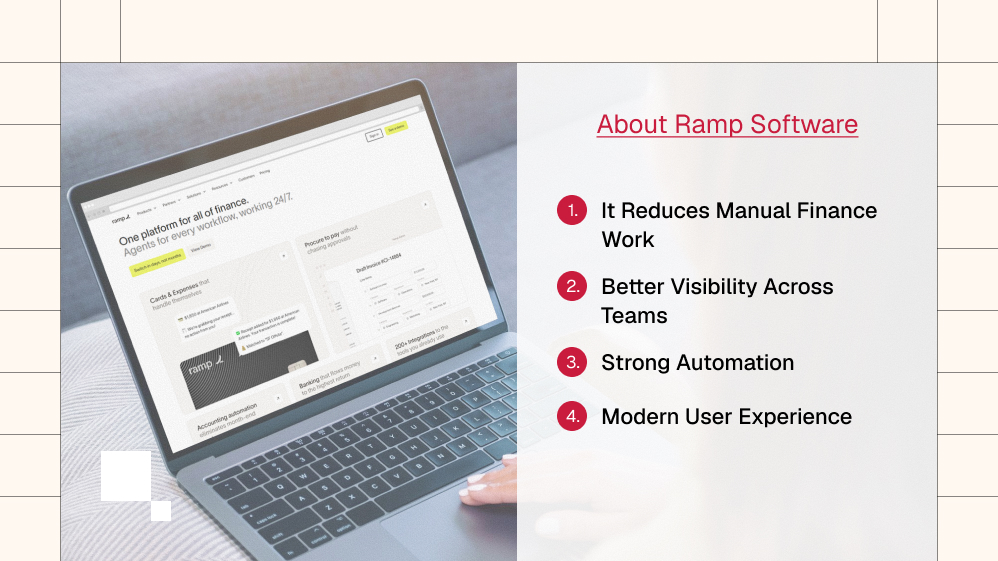
What We Liked About Ramp Software
After evaluating the platform from a business owner’s perspective, several strengths stand out.
1. It Reduces Manual Finance Work
Many repetitive tasks can be automated.
Instead of collecting receipts manually or chasing reimbursement emails, finance teams spend more time analyzing information than organizing paperwork.
That shift alone can save hours every month.
2. Better Visibility Across Teams
As businesses grow, spending becomes harder to monitor.
Marketing buys software. Sales books travel. At the same time, operations purchase equipment.
Without a central system, tracking these expenses becomes increasingly difficult. Ramp brings those activities together in one place.
3. Strong Automation
Automation is one of the platform’s biggest strengths.
Routine approval processes, expense categorization, and receipt collection require far less manual effort than many traditional finance workflows.
For growing companies, that consistency reduces mistakes.
4. Modern User Experience
Finance software doesn’t have to feel intimidating.
Ramp’s interface is relatively clean and approachable, making it easier for employees who don’t work in finance every day to adopt.
A shorter learning curve often means fewer support requests and faster implementation.
Where Ramp Software Could Improve
No software deserves a perfect score. There are areas where some businesses may prefer another platform.
International Availability
Depending on where your business operates, some services may be unavailable or more limited than those offered by competitors.
Businesses expanding globally should verify regional availability before making a decision.
Learning New Workflows
Although the interface is user-friendly, companies moving away from spreadsheets or older accounting systems may still need time to adjust.
Introducing any new finance platform involves change management.
Employees need training. Managers need updated approval policies. At the same time, the finance teams need revised workflows.
In the same vein, software alone doesn’t create efficiency. People and processes matter too.
Not Every Business Needs It
A freelance designer managing five invoices each month probably won’t use the full capabilities of Ramp Software.
Simple bookkeeping software may be enough. The platform becomes significantly more valuable as transaction volume and employee spending increase.
What Public User Feedback Often Highlights
Looking across business communities, software review platforms, and customer discussions, several themes appear repeatedly.
Positive Feedback
Businesses frequently mention:
- Faster expense reporting
- Easier reimbursement workflows
- Reduced administrative work
- Helpful automation
- Better visibility into company spending
- Time savings for finance teams
Many users say the platform encourages better spending discipline because employees know purchases are easier to monitor and approve.
Common Criticisms
Recurring concerns usually include:
- Some advanced features require initial setup.
- Smaller businesses may not use every available capability.
- Learning new approval workflows takes time.
- Availability varies depending on business location and eligibility.
These observations aren’t unusual.
Almost every enterprise finance platform requires some onboarding before businesses experience its full benefits.
Finance Reality Check
One misconception deserves attention.
Many businesses assume software automatically creates better budgets.
It doesn’t.
Good software supports good decisions.
If managers approve unnecessary purchases every week, no dashboard can solve that problem.
Healthy financial habits still matter.
Software simply makes those habits easier to maintain.
That’s why businesses looking into how to create a business budget often discover that budgeting isn’t only about numbers.
It’s about building repeatable systems that encourage responsible spending.
The right business budget management software helps enforce those systems—but leadership and discipline remain just as important.
In the next section, we’ll examine pricing, who should and shouldn’t choose Ramp, practical buying advice, FAQs, and our final verdict on whether Ramp Software deserves a place in your business finance stack.
Pricing: Is Ramp Software Worth The Cost?
Ramp offers three pricing tiers designed for businesses at different stages of growth.
| Plan | Pricing | Best For |
| Free | $0/user/month | Startups and small businesses |
| Plus | $15/user/month + platform fee | Growing teams needing AI automation and ERP integrations |
| Enterprise | Custom pricing | Large organizations with complex finance operations |
The Free plan includes unlimited corporate cards, expense management, bill payments, approval workflows, QuickBooks Online and Xero integrations, AI reporting, and accounting automation, making it one of the strongest free offerings in this category.
Ramp Plus builds on the Free plan with AI-powered expense reviews, advanced approvals, multi-entity support, ERP integrations (such as NetSuite and Sage Intacct), real-time budget tracking, and custom user roles.
Ramp Enterprise is aimed at larger businesses and adds dedicated implementation, priority support, Workday and Oracle integrations, global card issuing, custom workflows, and advanced organizational controls. Pricing is available on request.
Overall, Ramp’s free entry-level plan is unusually generous, while the paid tiers are best suited for companies with increasingly complex financial operations.
A Detailed Pricing Comparison
The table below compares Ramp with some of the most popular alternatives.
| Software | Starting Price | Free Plan | Best For | Value for Money |
| Ramp Software | $0/user/month | ✅ | Expense management, corporate cards, AP automation | ⭐⭐⭐⭐⭐ |
| Ramp Plus | $15/user/month + platform fee | ❌ | Growing businesses needing AI automation | ⭐⭐⭐⭐☆ |
| QuickBooks Online | From $19/month (Simple Start) | ❌ | Accounting and bookkeeping | ⭐⭐⭐⭐☆ |
| Xero | From $25/month | ❌ | Small business accounting | ⭐⭐⭐⭐☆ |
| FreshBooks | From $21/month | ❌ | Freelancers and service businesses | ⭐⭐⭐⭐☆ |
| Float Software | Custom pricing | ❌ | Cash-flow forecasting | ⭐⭐⭐⭐☆ |
Prices are standard list prices and may vary by region, billing cycle, and promotional offers. Always verify the latest pricing on each provider’s official website before purchasing.
Which Platform Offers the Best Value?
- Ramp Software delivers the strongest value for businesses that need expense management, corporate cards, and spend controls, thanks to its generous free plan.
- QuickBooks Online is the better choice if your primary need is bookkeeping, accounting, and tax preparation.
- Xero offers good value for small businesses seeking cloud accounting, with unlimited users on most plans.
- FreshBooks is ideal for freelancers and agencies that prioritize invoicing, client billing, and time tracking.
- Float Software isn’t a direct competitor to Ramp. It specializes in cash-flow forecasting, making it a useful addition for businesses that already have an accounting platform.
For many growing businesses, the decision isn’t Ramp versus QuickBooks. It’s often Ramp plus QuickBooks or Xero, where Ramp manages day-to-day spending and approvals while the accounting software handles bookkeeping, financial statements, and tax reporting.
Who Should Choose Ramp Software?
Not every business has the same financial challenges.
The platform makes the most sense when expense management has become increasingly difficult to control.
Ramp Software Is A Good Fit If You:
- Have a growing team with multiple employee expenses.
- Want to automate reimbursements.
- Need stronger approval workflows.
- Spend too much time tracking receipts.
- Want better visibility into company spending.
- Already use accounting software but need better expense controls.
You May Want To Consider Another Option If:
- You’re a freelancer with very limited monthly expenses.
- You only need invoicing and bookkeeping.
- Your business has no employee spending to manage.
- A simple accounting solution already meets your needs.
Choosing software isn’t about buying the platform with the longest feature list. It’s about solving the biggest problem your business faces today.
A Simple Decision Framework
If you’re still unsure whether Ramp is right for your business, work through these five questions.
Question 1: Are Employee Expenses Becoming Difficult To Track?
If the answer is yes, automation may save considerable administrative time.
Question 2: Do Managers Regularly Approve Purchases via Email or Spreadsheets?
If approvals feel disorganized, a structured workflow can reduce confusion.
Question 3: Are Finance Teams Spending Hours Chasing Receipts Every Month?
Manual expense collection often becomes one of the highest hidden costs inside growing businesses.
Question 4: Do You Already Use Accounting Software?
If yes, remember that Ramp Software is often designed to complement, not necessarily replace, your accounting platform.
Question 5: Will Your Business Continue to Grow Over the Next Two to Three Years?
Software that works well for five employees may not work as efficiently for fifty. Thinking ahead can prevent another software migration later.
Finance Reality Check
Many companies buy software hoping it will instantly fix financial problems. In reality, software supports good processes. It doesn’t replace them.
For example, if no one reviews monthly budgets or if department heads approve unnecessary purchases without accountability, expensive software won’t magically improve spending.
Successful businesses combine technology with clear policies, regular reviews, and responsible leadership.
That’s also why discussions around how to create a business budget rarely end with choosing software. The platform helps, but long-term success comes from consistent financial discipline and strong financial habits.
Our Final Rating
| Category | Rating |
| Ease of Use | ⭐⭐⭐⭐⭐ |
| Automation | ⭐⭐⭐⭐⭐ |
| Expense Management | ⭐⭐⭐⭐⭐ |
| Reporting | ⭐⭐⭐⭐☆ |
| Integrations | ⭐⭐⭐⭐⭐ |
| Value for Growing Businesses | ⭐⭐⭐⭐⭐ |
| Overall Score | 4.8 / 5 |
Frequently Asked Questions (FAQs):
Ramp offers products with different pricing structures depending on the service and the type of business.
Because pricing and eligibility can change over time, it’s best to check the official website for the latest information.
Not necessarily.
Many businesses continue using QuickBooks for accounting while using Ramp Software for expense management, corporate cards, approvals, and spending controls.
It depends on your priorities.
If your main requirement is bookkeeping, many Xero reviews highlight its accounting strengths.
If your business wants stronger expense automation and spending visibility, Ramp may be the better choice.
How does Ramp Compare with FreshBooks?
A typical FreshBooks review focuses on invoicing, billing, and time tracking.
Ramp places greater emphasis on business spending, approvals, reimbursements, and financial operations.
Is Ramp Software Similar to Float?
Not exactly.
Float Software primarily focuses on cash flow forecasting, while Ramp focuses on managing day-to-day company spending and expense workflows.
Some businesses use both because they solve different problems.
Is Ramp Software Suitable for Small Businesses?
Yes, particularly if the business has multiple employees, recurring operational expenses, and growing finance processes.
Very small businesses with simple bookkeeping needs may find lighter solutions sufficient.
Can Ramp help Businesses Improve Budgeting?
Indirectly, yes.
Better visibility into spending makes budgeting easier. Combined with good business budget management software, regular reviews, and disciplined financial planning, it can help businesses make more informed decisions.
Is Ramp Software worth Considering in 2026-27?
For growing businesses looking to automate expense management and improve financial visibility, Ramp Software remains one of the stronger options available.
However, businesses should compare it with alternatives, evaluate their own requirements, and consider how it fits into their existing financial workflow before making a decision.
Final Verdict
Choosing finance software isn’t like buying office equipment.
You’re selecting a system that may influence how your business spends money every day.
After reviewing its features, automation, usability, and practical benefits, Ramp Software stands out as a capable financial operations platform for businesses that have moved beyond basic bookkeeping.
Its biggest strength isn’t flashy dashboards or long feature lists.
It’s the way it helps reduce repetitive financial work while giving businesses clearer insight into where their money is going.
That said, it isn’t the right choice for everyone.
Freelancers and very small businesses with straightforward accounting needs may find traditional bookkeeping platforms more suitable.
Growing companies with multiple employees, recurring expenses, and increasingly complex financial operations are far more likely to benefit.
Our advice is simple: Don’t choose Ramp because it’s popular. Choose it because it solves a problem your business actually has.
If the answer is yes, it’s a platform well worth exploring. If not, another solution may provide better value for your current stage of growth.


Must Read

Is Bankruptcy Right for You? Questions to Ask Before Filing in Georgia

How to Build a Modern Business Protection Strategy

Popular Street Bikes for Everyday Commuting

Head Of Growth Marketing Responsibilities: A Beginner’s Guide To The Role

How To Build A Growth Marketing Strategy That Actually Works
Most Popular

A Guide For Deductibles and Premiums in Accident Insurance
Financial Survival Tips for Entrepreneurs in Debt
Toronto Car Insurance vs. Other Cities: Why Are Rates So High?

The Future of MENA Businesses: Why You Need Both Management & Accounting Software


Leave A Reply