


Xero Reviews in 2026: What Small Business Owners Should Know Before They Believe the Hype
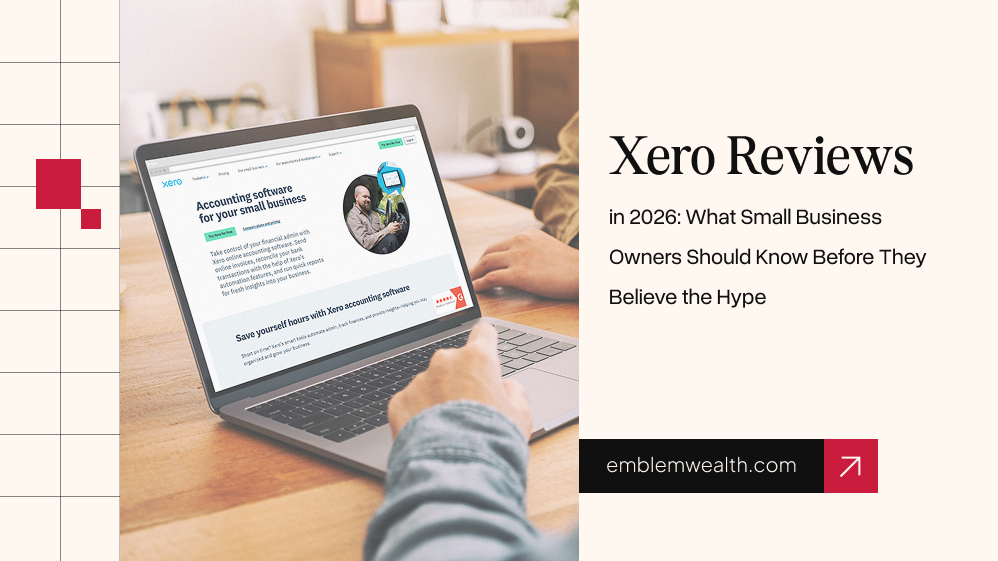
If you’ve searched for Xero reviews in the last few months, you’ve probably noticed something strange. Half the internet says Xero is the best accounting software a small business can buy.
The other half says it’s overpriced, confusing, and not worth the switch from a spreadsheet. Neither side can be fully right.
So we sat down, pulled apart the most repeated claims, checked them against actual user feedback on sites like G2, Capterra, Software Advice, and GetApp, and tried to answer one plain question: what’s actually true?
This isn’t a sponsored puff piece, and it isn’t a takedown either. It’s an attempt at something rarer online right now.
We are doing a Xero review that tells you what we could confirm, what we couldn’t, and where the marketing gets ahead of the facts.
Why Is Everyone Suddenly Talking About Xero?

I first noticed the increase in Xero chatter in places where software discussions normally don’t get much attention. Facebook groups for freelancers. Small business subreddits. Even comment sections under accounting videos. The same questions kept appearing over and over again.
People weren’t necessarily looking for new accounting software because they loved researching accounting software. Most seemed to be reacting to changes around them.
Some were unhappy with what they were already paying for. Others were finally being pushed away from older systems they had used for years and suddenly needed a replacement.
That’s usually how software trends start. Not with a revolutionary product launch, but with a large number of frustrated users looking for alternatives at the same time. Xero happened to be one of the names they kept running into.
Whether that attention is justified is a different question. Popularity often tells you what people are talking about. It doesn’t always tell you what’s actually working.
What Is Xero, in Plain English?
Before going further, here’s the short version for anyone who has never touched accounting software. Xero is a cloud-based bookkeeping tool built mainly for small businesses and freelancers.
You connect to your bank account, and it automatically pulls in your transactions. You can send invoices, pay bills, run basic reports, and let your accountant log in alongside you without paying extra for their seat.
It launched in New Zealand in 2006 and now has millions of subscribers across the US, UK, Australia, and beyond. That’s the whole pitch. Everything else in most Xero reviews is really a debate about whether the details underneath that pitch hold up.
The Most Viral Claims About Xero Compared
Here are the claims that show up again and again in Xero reviews, YouTube comparisons, and Reddit threads, next to what we could actually confirm.
| Viral Claim | What We Found |
| “Xero is way cheaper than QuickBooks” | True on paper for equivalent plans, and the gap widened further after QuickBooks’ 2026 price hike. But Xero’s entry plan caps you at 20 invoices and 5 bills a month, so “cheap” only holds if your business is genuinely small. |
| “Xero has unlimited users on every plan, unlike QuickBooks” | True, and one of the few claims we found with no asterisk attached. Every Xero tier allows unlimited logins, which matters if you want your bookkeeper, accountant, and business partner in all the same file. |
| “Xero’s customer support is bad” | Partially true. Multiple review platforms show more negative than positive sentiment about phone support access, though users consistently praise the self-serve help articles and community forums. |
| “Xero is easier to learn than QuickBooks” | Mostly true according to aggregated user reviews, though several reviewers still describe a real learning curve around accounting terminology in the first few weeks. |
| “You’ll get a huge discount forever” | False. The 50–90% discounts are introductory, usually for three to six months, and the full price applies afterward. |
What Evidence Was Missing From Those Claims
Here’s the part most Xero reviews skip. Almost none of the “Xero vs QuickBooks” content we found disclosed how the writer actually used either tool, for how long, or on what kind of business.
Claims about ease of use were often based on a single onboarding session rather than months of actual bookkeeping. Claims about customer support were drawn from aggregated star ratings without citing the underlying complaint patterns.
And almost every comparison article we found had an affiliate link sitting a few lines below the “clear winner” verdict, which is worth knowing before you treat any single article as neutral, including this one.
That doesn’t mean the claims are wrong. It means they’re under-sourced. A claim can be true and still be presented with more confidence than the evidence supports.
Fact Check: Are All the Internet Claims About Xero True?

No, and it’s worth walking through why. Some of the most repeated numbers are simply promotional pricing frozen in time.
A blog post from three months ago that says “Xero Established is $90 a month” was accurate when it was written, but pricing pages change, regional pricing varies, and promotions rotate constantly.
We found genuine disagreement across sources on exact current pricing for Xero’s tiers, which tells you something important:
- Treat any specific dollar figure you read, including the ones in this article, as a snapshot, not a guarantee.
- Always confirm current pricing directly on the provider’s site before you buy.
Other claims are true but incomplete. “Xero has a 30-day free trial” is accurate. What often goes unsaid is that taking the free trial can sometimes exclude you from an introductory discount, so the cheapest path isn’t always the most obvious one.
Takeaway: If a claim about software pricing or features doesn’t include a date or a source, treat it as a starting point for your own research, not a final answer.
Why Verification and Review of Xero Is Important
Accounting software isn’t a throw pillow. If you pick wrong, you’re not just out a few dollars. Rather, it will cost you months of migrating financial records, retraining your bookkeeper, or discovering a missing feature during tax season.
Again, this season is the worst possible time to discover it. That’s why a lazy, unverified Xero review can cost a small business real time and real money, not just disappointment.
It’s also why “verified reviews” on platforms like G2 and Capterra matter more than they might seem to. These platforms confirm the reviewer actually used the product before publishing their feedback, which filters out a lot of the noise you’d get from a generic Google search.
How To Verify Any Business Budget Management Software Before Using It
This applies to Xero, and it applies to every other business budget management software you’ll ever consider. Here’s a simple process:
- Check the free trial length and terms. Most legitimate tools offer at least two weeks. If a product hides its trial length or makes you talk to sales first, that’s worth noting.
- Read the 1-star and 3-star reviews, not just the 5-star ones. The 5-star reviews tell you what the product does well. The 3-star reviews tell you where it quietly falls short, which is usually more useful.
- Cross-reference at least two independent review platforms. If G2 and Capterra tell wildly different stories, dig into why.
- Search for the product name plus “price increase.” Subscription software raises prices more often than most buyers expect, and past patterns are a decent predictor of future behavior.
- Look for a data export option before you commit. You want to know you can leave with your financial records intact, not just get in easily.
Red Flags To Watch Out For
- Reviews that read like marketing copy, with no specific complaint anywhere in the piece
- Comparison articles where every single feature happens to favor the product being sold through an affiliate link
- Pricing pages that require you to enter an email or talk to a sales rep before showing a single number
- User reviews that are suspiciously recent, generic, and clustered around a single week (a pattern platforms like Capterra actively screen for)
- Any claim about “unlimited everything” that isn’t backed by the provider’s own published terms
How We Chose to Review Xero on These Parameters (and What We Couldn’t Check)

We focused this Xero review on the parameters that come up most often in actual buying decisions:
- pricing versus competitors
- ease of use for non-accountants
- invoicing and bank reconciliation quality
- customer support reputation
- how it stacks up against the other tools you’re likely comparing it to
We weighed these because they’re the factors real small business owners cite most often in verified reviews, not because they’re the easiest to make a product look good on.
What we could not independently verify: we did not run Xero ourselves inside a live business with real transactions over several months.
So, we can’t personally vouch for how it performs with your specific bank feeds, your state’s tax rules, or at high transaction volumes over a full fiscal year.
Regional pricing, discount availability, and even which features are included at which tier can differ by country, and we found inconsistencies even between review sites on current exact pricing.
If a decision about this size matters to your business, treat everything here as a strong starting point for your own trial run, not a substitute for one.
Xero Review By Parameter
| Parameter | How Xero Performs (based on aggregated verified reviews) |
| Pricing | Competitive against QuickBooks Online, especially after QuickBooks’ 2026 increase; entry plan is transaction-capped |
| Ease of use | Frequently praised for a clean dashboard; moderate learning curve around accounting terms |
| Invoicing | Rated highly (4.4 to 4.5 out of 5 across review platforms); customizable but with some template limitations |
| Bank reconciliation | A standout feature; automated matching is widely praised |
| Customer support | Mixed; strong self-serve resources, weaker phone/live support reputation |
| Integrations | Strong; over 1,000 third-party app connections |
| Mobile app | Generally well reviewed, described as intuitive for on-the-go invoicing |
Xero VS. The Alternatives You’re Probably Also Considering
No Xero review is complete without acknowledging what people actually compare it to before they buy. Here’s the honest rundown.
Quickbooks Online Reviews
QuickBooks Online reviews consistently mention it as the most widely used option among US accountants, which matters if you want your bookkeeper to already know the software.
It costs more per plan than Xero at equivalent tiers, and it caps the number of users unless you upgrade, but the accountant familiarity is a real advantage Xero doesn’t fully match.
FreshBooks Review
FreshBooks review feedback paints it as the friendliest option for solo freelancers and very small service businesses.
It’s simpler than Xero, with less depth in reporting, and it charges based on the number of clients you bill rather than transaction volume, which rewards a small client list and penalizes a growing one.
Float Software
Float software isn’t a competitor to Xero at all. It’s an add-on. Float plugs into Xero, QuickBooks Online, or FreeAgent to turn your existing bookkeeping data into a visual cash flow forecast.
That is, again, genuinely useful, once your basic accounting is already handled and you want to see further ahead than your bank balance shows today.
Ramp Software
Ramp software falls into a different category, too. It’s a corporate card and spend management platform rather than a bookkeeping system, and it syncs into Xero or QuickBooks rather than replacing them.
If your issue is chasing employee receipts rather than reconciling bank feeds, Ramp solves a different problem than Xero does.
YNAB Review
YNAB review discussions come up constantly, but YNAB is built for personal budgets and households, not business bookkeeping, tax reporting, or invoicing clients.
Comparing YNAB to Xero is really comparing a personal budgeting method to a business accounting platform, and conflating the two is one of the more common mistakes we saw in Xero reviews written by people covering both categories at once.
How to Create A Business Budget (Before You Even Pick Software)
Software won’t fix a budget you haven’t actually built. Here’s a beginner-friendly starting point regardless of which business budget management software you eventually choose:
- List every source of income you can reasonably count on this month, and be conservative rather than optimistic.
- List fixed costs first: rent, subscriptions, loan payments, anything that doesn’t change month to month.
- List variable costs next: supplies, contractor payments, marketing spend.
- Set aside a buffer for taxes before you touch anything else. This is the step new business owners skip most often, and it’s usually the one that causes a crisis later.
- Compare income against total costs. If costs exceed income, cut variable costs before touching anything essential to actually running the business.
- Revisit the budget monthly, not yearly. A business budget is a living document, not a form you fill out once.
Once that process is in place, accounting software like Xero, QuickBooks, or FreshBooks becomes a way to track the budget you already built, rather than a substitute for building one.
Common Mistakes People Make When Reviewing or Choosing Financial Software
A few patterns show up constantly in bad software reviews and bad buying decisions alike, and they’re worth naming directly:
- Treating a single onboarding session as a full review. The first hour with any tool feels different than month three, once real complexity shows up.
- Ignoring the cost of switching later. The cheapest plan today can become the most expensive decision if migrating away costs you weeks of double-entry work.
- Copying competitor comparisons instead of checking primary sources. A lot of “Xero vs QuickBooks” content online is clearly one article rewritten many times over, with the same claims repeated without anyone going back to verify them.
- Skipping the disclosure of affiliate relationships. If a review benefits financially from your choice, that doesn’t make the review wrong, but it does mean you should weigh it accordingly.
- Assuming pricing shown today will apply next year. Every major provider in this article, including Xero, has raised prices within the past two years.
Final Verdict
Here’s where we tell you plainly what we think, knowing full well that no review is ever perfectly neutral, including this one.
Xero earns its reputation in the areas that matter most for a small, growing business: clean invoicing, genuinely strong bank reconciliation, and unlimited users without extra fees.
That last point alone makes it a reasonable pick over QuickBooks Online for any business that wants its accountant, a partner, and a bookkeeper all working from the same file without paying per seat.
The customer support gap is real, though, and if you expect to pick up the phone and get a person quickly, that’s a legitimate reason to hesitate.
Our honest bias: we lean toward recommending Xero for freelancers and small service businesses who are comfortable with self-serve support and want predictable, all-in pricing, and we’d steer larger teams or anyone who leans heavily on live phone support toward comparing QuickBooks Online more seriously before deciding.
Either way, don’t take our word, or anyone else’s, as the final step. Use the free trial, put a real month of your own transactions through it, and only then decide if the many Xero reviews you’ve read online actually match your own experience.
Pricing and feature details for Xero, QuickBooks Online, FreshBooks, Float, Ramp, and YNAB change frequently. Confirm current plans directly on each provider’s website before making a purchasing decision.


Must Read

Is Bankruptcy Right for You? Questions to Ask Before Filing in Georgia

How to Build a Modern Business Protection Strategy

Popular Street Bikes for Everyday Commuting

Head Of Growth Marketing Responsibilities: A Beginner’s Guide To The Role

How To Build A Growth Marketing Strategy That Actually Works
Most Popular

A Guide For Deductibles and Premiums in Accident Insurance
Financial Survival Tips for Entrepreneurs in Debt
Toronto Car Insurance vs. Other Cities: Why Are Rates So High?

The Future of MENA Businesses: Why You Need Both Management & Accounting Software


Leave A Reply