


FreshBooks Review For Small Businesses: Worth The Money?
We need to talk about money. Specifically, how small business owners handle it. When you first start working for yourself, you think your biggest hurdle will be finding clients. It isn’t.
Your biggest hurdle is the terrifying realization that you are now an unpaid, highly stressed bookkeeper for your own company.
My site, emblemwealth.com, focuses on helping people build genuine financial security. But you cannot build wealth if you do not know where your money is going.
Early on, I made the classic blunder that almost every new blogger and creator makes. I ignored the numbers. I thought tracking revenue in a messy spreadsheet was enough. It was not.
I missed tax deductions, paid late fees on bills I forgot existed, and had no real handle on cash flow.
That is why finding the right business budget management software is a survival skill. Today, we are pulling back the curtain on the platform that completely changed my invoicing sanity.
This is a complete, unfiltered FreshBooks review. Let us find out what actually works when your hard-earned money is on the line.
What Is FreshBooks?
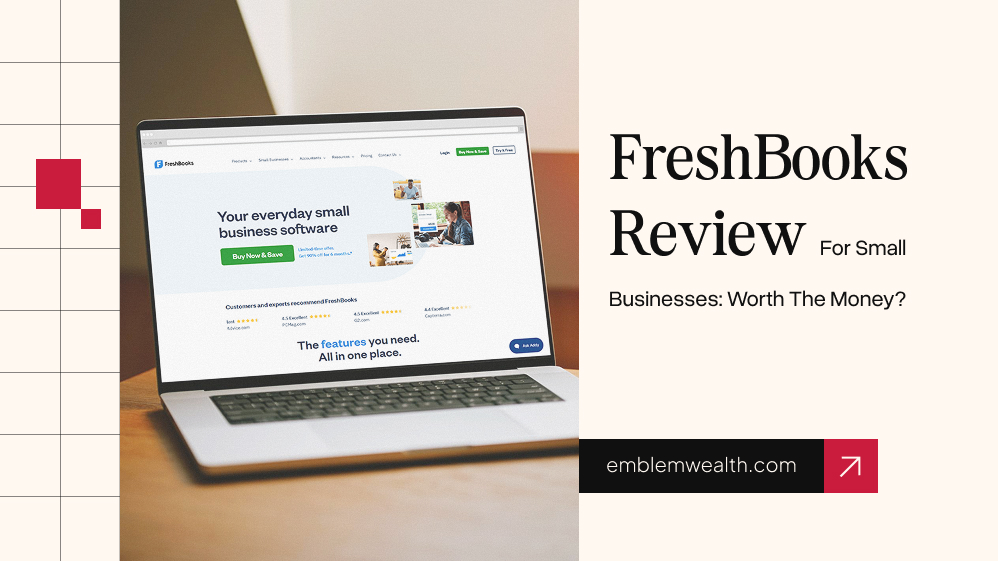
FreshBooks is a fully cloud-based accounting and invoicing platform. It is best for small business owners who sells service. At the same time, sole proprietors, freelancers, and contract-based workers can also use it effectively.
This tool focuses on versatile areas. For instance, billing, cash flow management, scheduling, and time management.
[ Track Time / Expenses ] —> [ Create Polished Invoice ] —> [ Client Automated Payment ]
—> [ Real-Time Dashboard ]
What Can You Actually Do With FreshBooks?
FreshBooks isn’t packed with hundreds of features you’ll never touch. Most of what it offers centers on a few tasks that freelancers and service businesses handle every week.
Create Invoices Without Overthinking It
The invoicing process felt straightforward from the start.
I could put together a professional-looking invoice in a couple of minutes, add branding elements, and include a personal note for the client instead of sending something that looked automated.
For businesses that invoice regularly, those small touches help keep communication professional without adding extra work.
Track Billable Hours As You Work
I didn’t have to rely on memory at the end of the week to figure out where my time went. The built-in timer made it easier to record hours while I was actually working on client tasks.
What I liked most was that tracked hours were already available when it was time to prepare an invoice.
A lot of freelancers lose money simply because they forget to log everything. Having tracking built into the workflow helps reduce that problem.
Keep Expenses In One Place
Expense management was less painful than I expected. Transactions appeared automatically after connecting financial accounts, reducing manual data entry.
I also tested uploading receipt images from my phone and found it useful for keeping records organized without having to carry around paper copies.
It’s not the flashiest feature in the platform, but it’s probably one of the most practical.
Make It Easier For Clients To Pay
Sending an invoice is one thing. Getting paid is another.
FreshBooks allows clients to pay directly from the invoice, removing unnecessary steps in the process. Instead of emailing payment instructions separately, everything stays in one place.
From a client experience standpoint, that convenience can make a bigger difference than most people realize.
See What Happens After Sending An Invoice
One feature I appreciated more than expected was invoice activity tracking.
There have been times when I’ve wondered whether a client even saw an invoice I sent. FreshBooks removes some of that uncertainty by showing important updates.
So you’re not left guessing whether the message disappeared into a crowded inbox.
It’s a small detail, but one that saves a surprising amount of follow-up work.
Overall, none of these features are especially groundbreaking on their own. What stood out to me was how naturally they fit together.
The platform seems designed around the daily routine of working with clients, tracking time, sending invoices, and collecting payments rather than overwhelming users with tools they’ll rarely use.
The Price Tag: FreshBooks Pricing Breakdown
FreshBooks structures its pricing based on the total number of active, billable clients you have. Here is a clear breakdown of what you can expect to pay monthly:
| Plan | Base Price | Best For | Key Limitation |
| Lite | $21 / month | Solopreneurs starting out | Strictly capped at 5 active clients |
| Plus | $38 / month | Growing freelancers | Caps you at 50 active clients |
| Premium | $65 / month | Established small teams | Unlimited clients, but extra team members cost more |
While those are the base rates, any thorough FreshBooks review must point out the hidden add-on costs.
Adding an extra team member to your account will cost you an additional $11 per user every month. If you need payroll features, it will set you back another $40 per month plus $6 per employee.
Putting It To Work: Everyday Usage

In daily practice, FreshBooks feels remarkably clean compared to complex alternatives. When you log in, your main dashboard gives you an instant visual snapshot of your outstanding invoices, total profit, and spending habits.
For standard business budget management software, this platform eliminates friction. You spend less time wrestling with complex double-entry reconciliation ledgers and more time simply marking tasks as complete.
The automated system watches over your cash flow behind the scenes, tracking when a client actually opens your invoice email so you know exactly when they are looking at their bill.
Adding an extra team member to your account will cost you $11 per user per month. If you need payroll features, it will set you back another $40 per month plus $6 per employee.
What “Extra” You Get From FreshBooks
If you read standard QuickBooks Online reviews, you will notice a common pattern. QuickBooks is built like a massive corporate warehouse.
It is powerful, but it can feel incredibly sterile and difficult to navigate. FreshBooks changes the script by offering specific “extras” that make the freelancer’s workflow much smoother.
First, you get an elite, client-facing invoicing experience. A standard FreshBooks review highlights its ability to seamlessly transform client estimates and project proposals into live, billable invoices with a single click.
QuickBooks can send invoices, but it treats them as just one small feature inside a massive dashboard rather than the main event.
Second, FreshBooks bundles native, uncomplicated time tracking into every single plan. If you want time tracking in QuickBooks, you are forced to pay for a higher-tier plan or purchase a separate add-on.
FreshBooks also gives you real clarity by alerting you the second a client opens an invoice email. This eliminates the awkward “did they receive my bill?” guessing game, providing a layer of clarity in communication that heavier platforms often lack.
Who Is It For And What Do People Mostly Use It For?

While testing the platform, I kept thinking about the people who would probably enjoy using it most.
Freelance writers, designers, consultants, photographers, and small-agency owners all came to mind because their work centers on projects, invoicing, and client communication rather than inventory management.
Most users aren’t looking for advanced accounting reports. They’re usually trying to keep client work organized, send invoices on time, and avoid chasing payments manually every month.
They use it to automate recurring bills for long-term retainers, send out project estimates, and quickly collect card payments without having to stitch together three different software subscriptions.
Why Is Everyone Suddenly Talking About Accounting Software Verification?
The online conversation around financial software has shifted dramatically. Small business owners are growing incredibly tired of software companies constantly raising their prices while locking previously free features behind expensive premium walls.
Because of this, digital communities are paying much closer attention to what they actually get for their money. Business owners are actively migrating away from rigid networks to find flexible, simple platforms that let them manage their money transparently without charging massive hidden fees.
Deconstructing The Hype: Viral Claims VS. Reality

Social media is full of quick recommendations for business tools. Let us break down the most common viral claims surrounding modern accounting tools and see how they hold up to reality.
Viral Claim 1: “Automated Tracking Software Means Tax Time Takes Zero Effort!”
This is a massive exaggeration. While automated expense categorization reduces your workload, it isn’t flawless. If your bank connection drops out or a receipt image blurs, the software will miscategorize the expense. You still need to audit your logs regularly.
Viral Claim 2: “It Acts As A Complete Project Management Hub For Your Team.”
Not quite. FreshBooks includes helpful project collaboration spaces, but it cannot replace dedicated platforms like Asana or Trello. It is brilliant for tracking project profitability and financial metrics, but it won’t handle complex, multi-stage task management.
What Evidence Was Missing From The Internet Buzz?
When you search for reviews online, you mostly see people testing the dashboard for five minutes and calling it perfect. They miss the long-term friction points that appear as your company scales.
Most online articles gloss over the fact that FreshBooks’ lower-priced plans heavily limit your client count.
If you have 10 small clients who only purchase from you once or twice a year, the Lite plan completely locks you out.
You are forced to upgrade to the Plus tier simply because of your client count, even if your monthly revenue is still tiny.
Fact Check: Are All Internet Claims True?
When you fish for data in marketing threads, the line between software reality and sales fluff gets incredibly blurry. Let us run a strict fact check on what actually happens when you load your numbers into this platform.
The True Claims:
- The Invoice Open Notification Works Perfectly: This is entirely true. The system tracks pixel loads in the client’s email. When a client opens your bill, you know it instantly. It completely ends with the classic “I never saw the email” excuse.
- Invoicing Mechanics Take Under Sixty Seconds: True. If you have your customer profile saved, generating and sending a beautifully branded invoice takes less time than making a cup of coffee.
- Built-in Time Tracking is Fully Integrated: True. You do not need an external widget. The active timer runs clean, logs your project milestones, and maps directly onto the client ledger.
The False Claims:
- “The Basic Plans Are Cheaper Than QuickBooks”: This is a false claim over the long haul. While the FreshBooks Lite sticker price looks lower, the math changes instantly if you have multiple clients or a small team.
- QuickBooks includes multiple users or unlimited clients early on. FreshBooks hits you with a strict client cap ($21/mo for only 5 clients) and charges an extra $11 per user you add. If you have a team of four, the extra user fees ($33/mo) dwarf the base price.
- “Bank Feeds Never Break Down”: This is completely false. User logs on Reddit show that the automated bank sync protocol routinely disconnects due to updated bank security walls. When it breaks, transactions drop out or duplicate entirely, requiring you to manually clear out the errors.
- “It Offers Complete Double-Entry Accounting on All Tiers”: False. Genuine double-entry reporting arrays (like balance sheets and trial balances) are locked away until you upgrade to the Plus tier. The base plan is primarily an invoicing engine with basic expense logging.
Why Verification And Review Of Any Platform Is Crucial?
Choosing your business budget management software is a foundational decision for your company. Moving your entire client database, unpaid bills, and historical accounting records from one platform to another is an absolute nightmare once your business grows.
If you pick a tool based on a flashy ad without checking the limitations, you risk wasting hours migrating data later. You must verify exactly how a platform operates before it holds your financial numbers hostage.
How To Verify Any Business Budget Management Software Before Using It?
Do not just trust the marketing landing page. Follow these three steps to evaluate any tool before putting your real numbers into it:
- Check with Your Accountant: Ask your CPA what platform they prefer to receive reports from. If they struggle to read your software’s data exports, you will face higher hourly fees during tax season.
- Test the Support System: Sign up for a free trial and send a complex support question to the team. See if you get a real human or a loop of useless AI chatbots.
- Audit the Data Escape Hatch: Ensure you can easily download your complete general ledger and transaction history as a clean CSV file whenever you want.
Red Flags To Watch Out For
Watch out for these warning signs when hunting for financial management tools:
- Punitive Growth Caps: Systems that charge massive fees the moment you add a second team member or a handful of extra clients.
- Weak Data Exporting: Programs that make it incredibly difficult to download your own financial history if you decide to close your account.
- Unreliable Bank Connections: Systems where bank feeds constantly disconnect, forcing you to manually enter hundreds of past transactions.
The Parametric Review: Why We Chose Our Testing Criteria
We evaluated this platform based on three distinct pillars: invoicing speed, automation reliability, and simplicity for absolute beginners. We focused on these parameters because they represent the exact bottlenecks where new creators lose the most time.
We intentionally did not review enterprise-level multi-currency corporate consolidation or advanced manufacturing inventory tracking.
Those heavy features are completely irrelevant for a service provider trying to learn how to create a business budget for the very first time.
Meeting The Alternatives: The Broader Landscape
Depending on how your business operates, your ideal software mix might look completely different.
If your core struggle is tracking personal cash flow that occasionally bleeds into your side hustle, a detailed ynab review highlighting zero-based budgeting might be exactly what you need.
For growing corporations looking to distribute corporate cards and automate employee expense approvals, tools like Ramp Software offer incredible control.
If your service business relies on forecasting future cash flows based on unpaid client retainers, adding specialized tracking tools like float software can provide visual clarity that basic spreadsheets simply cannot match.
Final Verdict: Is It Worth The Hype?
After spending considerable time with FreshBooks, I understand why it has built such a loyal following among freelancers and service-based businesses.
The platform isn’t trying to become an all-in-one enterprise accounting suite. Instead, it focuses on making invoicing, expense tracking, payment collection, and time management easier for people who earn money through client work.
That focus is both its biggest strength and its biggest limitation.
If your business depends on projects, retainers, and billable hours, FreshBooks is one of the easiest accounting tools to get comfortable with. If you’re managing inventory-heavy operations or a rapidly growing team, you’ll likely outgrow it more quickly than expected.
For me, FreshBooks succeeds because it removes administrative friction. I spent less time figuring out the software and more time getting actual work done. That’s something many business tools promise, but very few deliver.


Must Read

Is Bankruptcy Right for You? Questions to Ask Before Filing in Georgia

How to Build a Modern Business Protection Strategy

Popular Street Bikes for Everyday Commuting

Head Of Growth Marketing Responsibilities: A Beginner’s Guide To The Role

How To Build A Growth Marketing Strategy That Actually Works
Most Popular

A Guide For Deductibles and Premiums in Accident Insurance
Financial Survival Tips for Entrepreneurs in Debt
Toronto Car Insurance vs. Other Cities: Why Are Rates So High?

The Future of MENA Businesses: Why You Need Both Management & Accounting Software


Leave A Reply