


YNAB Review (2026): Is It The Ultimate Business Budget Management Software Or Overhyped?
Managing small business money can feel like trying to herd wild cats. One minute you think you have a handle on cash flow. The next minute, a surprise software renewal drops, emptying your vault.
My friend, who’s also an entrepreneur, was searching for quickbooks online reviews last evening. He said it was to solve their tracking pain. But that’s the problem!
They jump right into heavy accounting tools. But traditional accounting looks backward at what you already spent.
If you want to steer your future, you need a proactive forward plan. That is why people are looking toward tools built for zero-based budgeting.
Let us dig deep into this comprehensive ynab review to see if it makes sense for your business, how it stacks up against alternatives, and where it falls short.
What Exactly Is YNAB And How Does It Fit Small Business Needs?
YNAB stands for You Need A Budget. It started as a cult-favorite personal finance tool. Over the last few years, however, more founders have turned to it for real-time tracking.
The software runs on a strict philosophy. Every single dollar you bring in gets a concrete job. You do not budget money you expect to make next month.
You only budget the exact cash sitting in your bank accounts right now. This forces you to see your true trade-offs.
For a small business owner, this approach turns chaotic numbers into clarity. You stop guessing if you can afford a new hire. You look at your categories and see the truth.
The Four Rules of YNAB for Small Business Owners
The entire system relies on four basic rules. These guidelines build highly resilient financial habits over time.
- Give Every Dollar a Job: When client revenue hits your bank account, distribute it immediately. Allocate portions to payroll, rent, inventory, and taxes.
- Embrace Your True Expenses: Break down huge, rare bills into monthly chunks. If your business insurance costs 1,200 dollars a year, you budget 100 dollars every single month. No more panic when the annual bill arrives.
- Roll With the Punches: Budgets are not stone slabs. If you overspend on marketing this month, just move money from your travel budget to cover it. The app makes updating your plan painless.
- Age Your Money: The ultimate goal is to spend money you earned at least 30 days ago. This creates a powerful cash cushion that breaks the feast-or-famine cycle.
Core Features Breakdown: A Pragmatic YNAB Review
To determine whether this tool fits your tech stack, we need to assess its daily utility. This section of our ynab review highlights the features that matter most to operators.
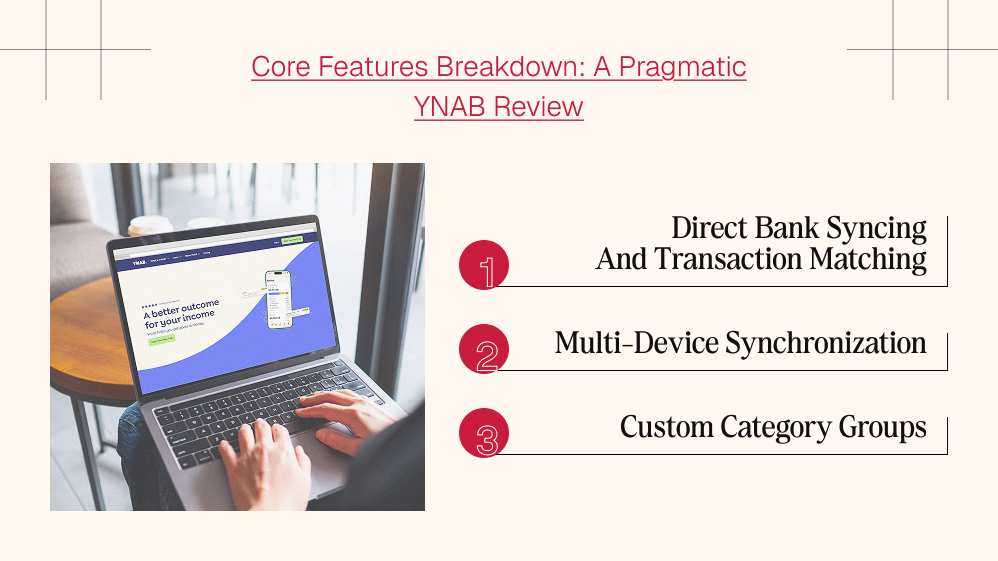
Direct Bank Syncing And Transaction Matching
The software connects directly to your business checking and credit cards. It pulls in transactions daily. It tries to match automated expenses to your categories automatically.
This saves hours of manual entry. However, if your bank connection drops, you can easily drag and drop standard QFX or CSV files to stay up to date.
Multi-Device Synchronization
You can update your numbers on a laptop, iPad, or phone. If your business partner buys fuel on the road, they can log the expense instantly on the mobile app.
The desktop version offers much deeper reporting, while the mobile view focuses on quick status checks and logging.
Custom Category Groups
Unlike rigid software packages, you can build your category trees however you like. You can group expenses by project, department, or fixed versus variable costs. This level of flexibility is rare in foundational ledger platforms.
YNAB Pricing Options (2026)
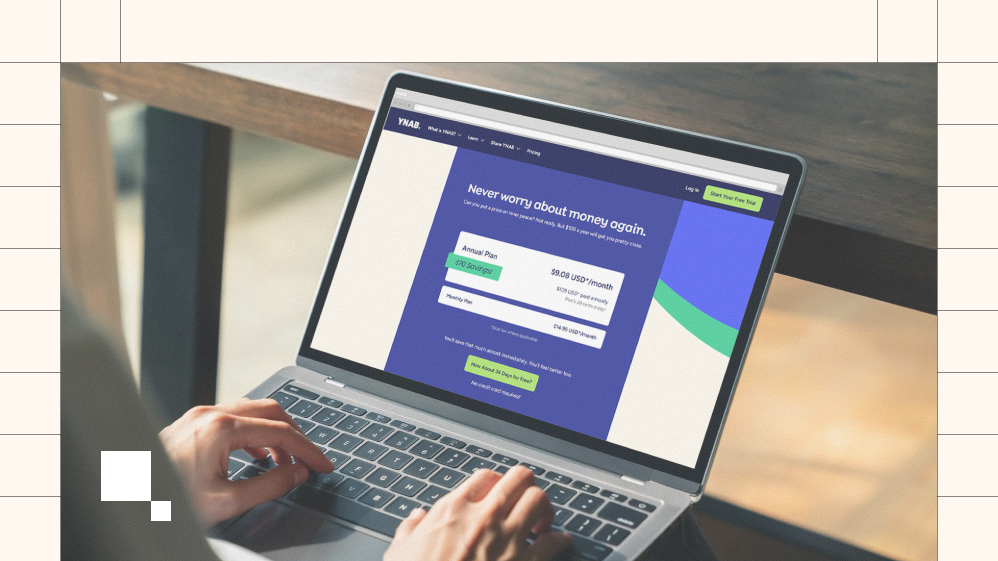
YNAB operates on a transparent, ad-free model with no hidden paywalls. A flexible monthly plan is available for $14.99 per month, with the option to cancel at any time.
For better long-term value, the annual subscription costs $109 per year (averaging roughly $9.08 per month), saving you around $70 annually compared to monthly billing. Before committing, new users can take advantage of a generous 34-day free trial that does not require a credit card.
Additionally, verified college students receive a completely free 365-day trial, and a single household subscription can be shared with up to six people through YNAB’s built-in family sharing features.
YNAB VS The Competition: Finding Your Perfect Fit
No single platform fits every business layout. Choosing the right stack depends entirely on your operational scale and complexity. Let us look at how alternative software suites compare.
| Software Platform | Ideal User Profile | Core Strength | Major Drawback |
| YNAB | Solo founders, freelancers, simple service setups | Intentional, forward-looking cash planning | No native tax forms or invoicing |
| QuickBooks Online | Growing teams, inventory businesses, CPAs | Massive ecosystem, deep balance sheets | Steep learning curve, expensive tiers |
| Xero | International startups, multi-currency projects | Clean interfaces, excellent double-entry mechanics | Lacks built-in visual envelope budgeting |
| FreshBooks | Agencies, consultants, hourly contract workers | World-class invoicing and time tracking | Lighter financial reporting engines |
The Accounting Giants: Quickbooks And Xero
When you read through quickbooks online reviews, the main complaints involve soaring prices and extreme complexity. QuickBooks is built for accountants, not necessarily creative founders.
Similarly, reading multiple Xero reviews reveals a wonderful double-entry system, but it still focuses heavily on past actions rather than future allocations. YNAB keeps you focused entirely on liquid runway.
The Invoicing Specialist: FreshBooks
If your main struggle is getting clients to pay you on time, a thorough freshbooks review will show you how elegant invoicing can be. FreshBooks makes billing simple.
But it does not help you decide how to split up that cash once it arrives. Many freelancers combine FreshBooks for client billing with YNAB for internal cash control.
Advanced Cash Flow: Integrating Modern Fintech Tools
If your business grows beyond a simple checking account, you might need a combination of tools to protect your cash. Modern platforms fill the gaps left by simple budgeting apps.
Float Software For Extended Visual Forecasting
YNAB excels at managing the cash you hold right now. But what if you want to model out the next three years?
That is where float software shines. Float connects to tools like Xero or QuickBooks to build visual timeline forecasts. It helps you run “what-if” scenarios for major expansions.
Ramp Software For Ultimate Corporate Expense Control
If you give corporate credit cards to multiple employees, tracking can get sloppy fast. Using ramp software lets you set hard limits on individual cards. It automatically collects receipts and integrates directly with your core ledger, ensuring zero employee overspending.
What Real Users & Trusted Sources Say
Online feedback across platforms like Reddit and major financial review aggregators reveals a highly dedicated community.
The consensus is overwhelmingly positive regarding the app’s zero-based budgeting framework, with many users reporting that the tool pays for itself within the first few months by eliminating hidden expenses.
Trusted financial review outlets praise YNAB for genuinely changing long-term consumer spending habits rather than just tracking past mistakes. However, criticism frequently surfaces regarding the steep learning curve for beginners.
Some users also express frustration over occasional bank-syncing dropouts via Plaid and the lack of native investment-tracking tools, which require hands-on manual corrections.
How We Reviewed YNAB & What We Couldn’t Verify
Our evaluation process combined rigorous hands-on software testing, multi-device sync analysis, and a thorough breakdown of YNAB’s direct-import features.
We thoroughly vetted its core functionality by manually logging everyday expenses and tracking credit card interest payoffs over time. However, independent testing has its strict boundaries.
We could not independently verify YNAB’s company claim that the average new user saves $600 in their first month and over $6,000 in their first year, as individual user compliance varies wildly.
Additionally, we could not audit the backend performance or uptime consistency of third-party aggregation partners (like Plaid) across thousands of regional banking institutions worldwide.
How Safe Is It?
YNAB is exceptionally safe and treats your financial data with institutional-grade care. The app uses industry-standard data encryption at rest and in transit, requiring your browser to maintain a secure connection at all times.
Account passwords are safely protected using complex one-way hashing algorithms. Crucially, because YNAB uses specialized third-party aggregators and modern OAuth digital tokens for automatic bank syncing, the platform never views or stores your actual online banking credentials.
Furthermore, YNAB generates revenue solely from direct user subscriptions and maintains a strict privacy policy that explicitly promises never to sell or share your personal financial data with third-party advertisers.
Step-By-Step: How To Create A Business Budget Using YNAB?
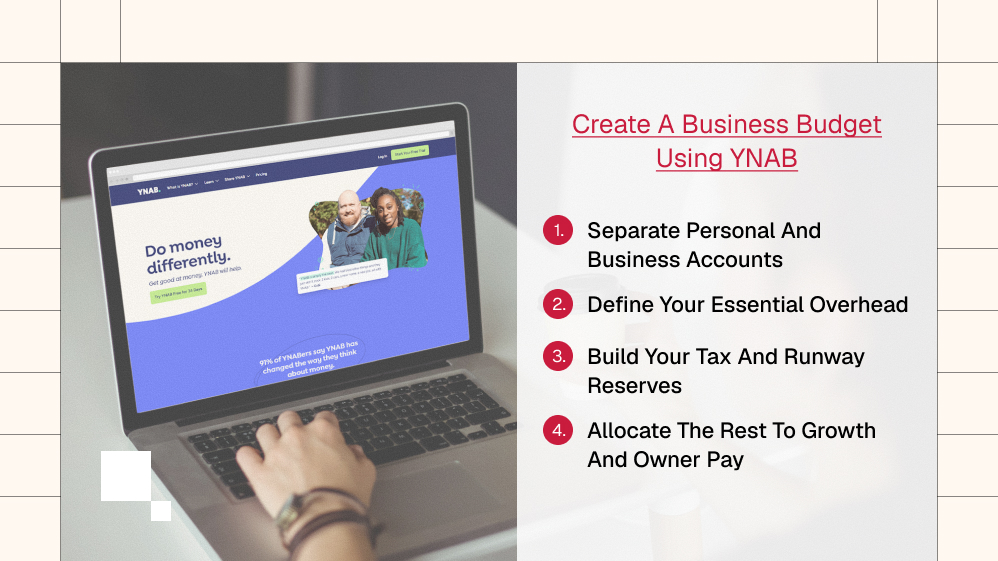
Setting up a business layer inside this tool takes an intentional approach. Follow these basic developmental steps to secure a clean build.
1. Separate Personal And Business Accounts
Never mix your personal rent with your business revenue. Open a dedicated business checking account and connect only that account to your new budget workspace.
2. Define Your Essential Overhead
Create a category group labeled “Fixed Overhead.” Add lines for software tools, insurance, web hosting, and legal fees. Fill these categories first, so you know your baseline survival cost.
3. Build Your Tax And Runway Reserves
Set up a category for income tax and sales tax. Every time an invoice is paid, drop 25-30% directly into your tax bucket. Next, build an emergency runway bucket to store three to six months of baseline operating costs.
4. Allocate The Rest To Growth And Owner Pay
Once survival and taxes are covered, you can distribute the remaining cash to marketing, inventory purchases, or your own owner draw.
The Clear Pros And Cons For Business Operations
To wrap up this ynab review, let us lay out the unvarnished realities of using this platform to manage corporate funds.
The Advantages
- It gives you absolute clarity on your actual disposable cash.
- The system actively prevents overspending before it occurs.
- It helps eliminate financial anxiety for bootstrapped founders.
- The interface is clean, fast, and lacks annoying corporate clutter.
The Shortcomings
- It does not generate official profit and loss statements or balance sheets.
- There are no built-in tools to invoice clients or track inventory units.
- It requires regular upkeep; you cannot just leave it on autopilot for months.
- You cannot natively track accounts receivable or accounts payable.
The Final Verdict: Is YNAB Right For Your Company?
At the end of the day, this platform is not a comprehensive replacement for true accounting software. It is a dedicated business budget management software built to govern user behavior.
If your business has hundreds of inventory items, a massive team, or complex tax needs, you will eventually need to lean on platforms highlighted in traditional QuickBooks Online reviews.
But if you are a solo operator, an agency founder, or a service provider who wants to gain total control over cash flow, this tool is incredibly powerful.
By showing you exactly what your money is doing, it helps you develop bulletproof habits that protect your bottom line for years to come.


Must Read

Is Bankruptcy Right for You? Questions to Ask Before Filing in Georgia

How to Build a Modern Business Protection Strategy

Popular Street Bikes for Everyday Commuting

Head Of Growth Marketing Responsibilities: A Beginner’s Guide To The Role

How To Build A Growth Marketing Strategy That Actually Works
Most Popular

A Guide For Deductibles and Premiums in Accident Insurance
Financial Survival Tips for Entrepreneurs in Debt
Toronto Car Insurance vs. Other Cities: Why Are Rates So High?

The Future of MENA Businesses: Why You Need Both Management & Accounting Software


Leave A Reply