


Quickbooks Online Reviews Are All Over The Place. Here’s The Truth You Needed!
There’s a particular moment every small business owner hits. The spreadsheet stops making sense. In fact, often invoices pile up in a folder nobody opens.
Someone asks “what’s our cash flow looking like?” and the honest answer is a shrug. That’s usually the moment people start typing quickbooks online into Google at 11 pm, looking for someone to just tell them if the thing is worth the money. After that, they search: QuickBooks Online reviews.
This article is that search, answered properly. Not a rehash of the marketing page. A real look at what the software does, what people online are claiming about it, which of those claims hold up, and where it falls short.
We’ll also put it next to Float software, Ramp software, and YNAB. Emblemwealth.com believes that a review that only looks at one product isn’t really a review. It’s an advertisement!
Why Is Everyone Suddenly Talking About QuickBooks?

Search interest in accounting software spikes every January and every tax season. But something else has been happening lately.
Small business forums, TikTok finance creators, and Reddit threads have all been arguing about QuickBooks more than usual. Part of it is price increases. Meanwhile, part of it is Intuit QuickBooks reviews pushing existing users toward new pricing tiers.
And part of it is simply that more people started businesses in the last few years and are comparing notes for the first time.
When a tool becomes this widely discussed, two things happen at once. Genuinely useful information spreads faster. So does exaggeration.
Both are visible in the current wave of QuickBooks Online review content, and it takes some effort to tell them apart.
Takeaway: Rising chatter doesn’t mean rising quality. It usually means more opinions, not more accuracy.
The Most Viral Claims About QuickBooks: Compared
After scrutinizing QuickBooks Online reviews, here’s a table of claims that recur in comment sections and short-form videos, along with what’s actually verifiable.
| Viral Claim | What People Say | What’s Actually Verifiable |
| “QuickBooks randomly doubles your subscription price” | Common complaint after promotional pricing ends | Confirmed pattern: promotional discounts do expire and revert to standard pricing, which surprises users who didn’t track the renewal date |
| “Customer support is basically useless” | Widely repeated across QuickBooks review threads | Mixed. Response times vary heavily by plan tier and time of year (tax season is worse) |
| “It’s the only real option for small business” | Common in older blog posts | False. Float, Ramp, and YNAB all serve real, overlapping needs depending on business size |
| “Bank feed errors are rare” | Sometimes claimed in sponsored content | Contradicted by multiple long-running user complaint threads about duplicate or missing transactions |
| “You need an accountant to use it properly” | Repeated often, sometimes exaggerated | Partially true. The software is usable solo, but complex tax situations do benefit from professional review |
What Evidence Was Missing From Most of These Claims
This is the part most QuickBooks reviews skip entirely. A claim isn’t the same as evidence. Most viral posts about QuickBooks include zero screenshots, zero timestamps, and zero mention of which plan tier or business size the person was using.
A one-person freelance business and a 40-employee retail company can have wildly different experiences with the same software, and almost nobody discloses which one they are.
We also noticed something else missing: dates. A complaint from 2021 is reposted in 2026 as if it’s current, even though the software has changed multiple times since then. Any QuickBooks Online reviews worth reading should tell you when the experience happened, not just that it happened.
Takeaway: A review without a timestamp and a business size is basically a rumor with good formatting.
Core Features Of QuickBooks Online
When you strip away the online chatter, the platform functions as an all-in-one financial ecosystem.
Its architectural design focuses heavily on automation, reducing the hours business owners spend manually typing out numbers. The system relies on key functional pillars to manage basic bookkeeping tasks seamlessly.
- Automated Bank Feeds: Links directly to corporate cards and checking accounts to download daily transaction logs.
- Invoicing and Payments: Built-in templates let you email professional invoices that include direct “pay now” options for credit cards or ACH.
- Receipt Capture: A mobile application allows users to photograph physical receipts, which the platform reads and automatically matches.
- Tax and Reporting Suite: Generates instant Profit and Loss sheets, balance sheets, and sales tax summaries with minimal manual filtering.
QuickBooks Online Pricing Structure
The software operates on a multi-tiered monthly subscription model. While promotional pricing often halves these costs for the first three months, standard rates still require careful budget planning. Each level unlocks specific features and expands the allowed user count.
- Simple Start ($38/mo): Formulates the basic framework for single users, covering income tracking, tax estimates, and basic invoicing.
- Essentials ($75/mo): Expands access to three users, adding bill management capabilities and time-tracking features.
- Plus ($115/mo): Includes 5 users and adds inventory tracking, along with detailed project profitability metrics.
- Advanced ($275/mo): Tailored for larger operations, offering twenty-five seats, custom user permissions, and dedicated support.
What “Extra” You Get From QuickBooks
Choosing this industry titan delivers distinct operational advantages that smaller, independent tools simply cannot replicate. These “extras” are largely structural, and integrated into how the financial world interacts with small businesses.
- The Accountant Network: Because nearly every CPA and bookkeeper knows the interface inside out, you save billable hours by granting them direct access to accounts during tax season.
- App Ecosystem: Over 750 native integrations mean you can plug in peripheral software seamlessly, matching your existing tech stack without custom coding.
- Scalability Shield: You will not need to migrate databases when your revenue climbs; the system scales smoothly from a single freelancer to an enterprise setup.
- Embedded AI Tools: Recent platform updates introduce automated transaction categorization and deep data reporting insights directly in the main dashboard view.
Who Is It For?
The application is not a universal solution for every individual who earns money. It is explicitly designed for specific business profiles that require rigorous, double-entry accounting records.
- Growing Service Providers: Ideal for agencies, consultants, and contractors who bill clients by the hour and require detailed project tracking.
- Product-Based Sellers: Well-suited for retail or e-commerce businesses that need integrated inventory management directly tied to sales data.
- Teams with Employees: Perfect for business owners planning to run integrated payroll and handle multi-state payroll tax compliance.
- Audit-Conscious Owners: Necessary for any business preparing for external funding, bank loans, or structured tax reporting where clean sheets are legally mandatory.
What People Mostly Use It For
While the software contains hundreds of niche features, the average business owner relies on it for a few core daily routines to stay organized.
- Tax Preparation: Keeping a continuous, categorized trail of expenses so that April deadlines do not trigger a chaotic search for receipts.
- Client Billing: Setting up recurring invoices to automate cash collections without manual reminders.
- P&L Surveillance: Monitoring the company’s overall financial pulse through real-time profit-and-loss reports.
- Expense Classification: Sorting operational transactions into specific tax-deductible buckets to maximize deductions safely.
By focusing on these practical core tasks, users keep their operations visible and organized without needing an advanced accounting degree.
Fact-Check: Are All the Internet Claims About QuickBooks True?
Short answer: no, but not all false either. It’s a mixed bag, and that’s actually the more useful answer.
The pricing complaints are largely accurate. Promotional rates do expire, and the jump can be significant enough to blindside a small business owner who set a calendar reminder for the wrong date.
The “it’s the only option” claims are outdated marketing-era thinking. The current market has real competition.
The bank-sync complaints are inconsistent. Some users report years of smooth syncing, others report regular duplicate entries. This looks more like an intermittent bug than a universal flaw, which is a harder thing to review fairly.
Takeaway: treat viral claims as a starting point for research, not the conclusion.
Why Verification And Review Of QuickBooks Matters
Here’s the thing nobody says out loud: business budget management software helps manage money and taxes and also handles legal reporting.
Getting a bad recommendation about a phone case is annoying. Getting a bad recommendation about accounting software can mean messy books at tax time, wrong payroll numbers, or hours spent reconciling errors that shouldn’t exist.
That’s why QuickBooks Online reviews need a higher bar than most product reviews. It’s not enough to say “I liked it” or “I hated it.”
A useful review has to separate personal preference from actual functional problems, and it has to be honest about what wasn’t tested.
How To Verify Any Business Budget Management Software Before Using It
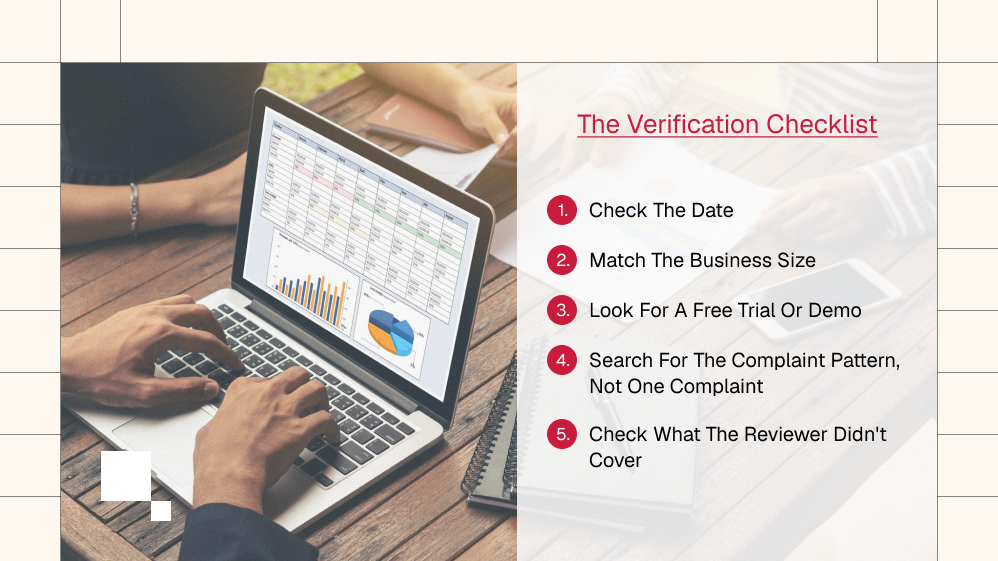
Before trusting any review, this one included, run the software claims through a basic checklist.
- Check the date. Software changes fast. A review from three years ago may describe features that no longer exist.
- Match the business size. A solo freelancer’s experience with invoicing tools won’t match a 15-person team’s experience with payroll.
- Look for a free trial or demo. If a company won’t let you test before paying, that’s worth noting.
- Search for the complaint pattern, not one complaint. One angry post means one bad day. Fifty similar posts over two years mean a real pattern.
- Check what the reviewer didn’t cover. Missing information is often more telling than what’s included.
Takeaway: Verification is a five-minute habit that saves a lot of financial pain later.
Red Flags To Watch Out For
- Reviews with no negatives at all. Every piece of software has trade-offs.
- Reviews that never mention pricing tiers by name.
- Affiliate-heavy pages where every competitor conveniently scores lower.
- Screenshots that are clearly outdated (old logos, old dashboard layouts).
- Zero mention of customer support experience, since that’s usually where real friction shows up.
Quickbooks Online, Compared To Float, Ramp, And Ynab
This is where most QuickBooks review content stops short. QuickBooks doesn’t exist in a vacuum, and depending on what a business actually needs, one of these alternatives might fit better.
| Tool | Best For | Notable Strength | Notable Limitation |
| QuickBooks Online | Small to mid-size businesses needing full bookkeeping | Deep accounting features, tax integration | Learning curve, price jumps after promo period |
| Float Software | Cash flow forecasting layered on top of existing accounting | Visual, forward-looking cash flow projections | Not a full accounting system on its own |
| Ramp Software | Companies focused on expense management and corporate cards | Strong spend control and automated expense categorization | Less useful for solo freelancers without a team |
| YNAB (You Need A Budget) | Personal or very small business budgeting | Simple, habit-focused budgeting philosophy | Not built for payroll, invoicing, or tax filing |
A YNAB review from a personal-finance angle will read completely differently from a business owner’s perspective, because YNAB was never built to replace something like QuickBooks. It’s closer to a financial habits tool than a full accounting platform.
Takeaway: the “best” software depends entirely on whether the need is bookkeeping, forecasting, spend control, or personal budgeting discipline. They’re not interchangeable, no matter what a headline claims.
How To Create A Business Budget (Before Picking Any Software)
Software doesn’t fix a budget that was never built properly in the first place. A basic, workable process looks like this:
- List every fixed cost first, including rent, subscriptions, insurance, and loan payments.
- Add variable costs based on the last three to six months of actual spending, not guesses.
- Set aside a buffer, even a small one, for months that run tight.
- Review it monthly, not yearly. Businesses shift faster than annual reviews can keep up with.
- Only then decide which software fits the process, rather than picking software first and hoping it creates discipline that wasn’t there before.
Building Better Financial Habits Alongside Any Tool
The software is only ever half the equation. Financial habits like checking numbers weekly, reconciling accounts on a schedule, and not letting invoices sit unopened matter more than which platform is chosen.
Plenty of businesses have failed with excellent software and thin habits. Plenty have survived with mediocre software and strong habits. That’s not a popular thing to say in a review meant to sell a tool, but it’s true.
What We Reviewed, What We Didn’t, And Why

We looked at pricing structure, publicly available user complaint patterns, feature comparisons against Float, Ramp, and YNAB, and the general shape of long-term (not just recent) feedback trends.
We chose those parameters because they’re the ones that actually affect whether a business runs smoothly day-to-day.
Meanwhile, we did not run a live, hands-on multi-month test inside a real company’s books, and we’re saying that plainly rather than implying otherwise.
We also didn’t have access to enterprise-tier support response data, since that information isn’t publicly published in a verifiable way.
Anyone claiming precise average support wait times without citing a source is guessing, and we’d rather admit a gap than fill it with a made-up number.
Final Verdict After Checking QuickBooks Online Reviews
What is most obvious after checking QuickBooks Online reviews? Here’s the straight answer.
QuickBooks Online is a solid, capable piece of software for a huge range of small and mid-size businesses, and most of the harsher viral claims about it are exaggerated versions of real, occasional problems rather than universal truths.
The pricing jump after a promotional period is real and worth watching closely. The bank-sync issues are real but inconsistent. It is not, despite what older posts claim, the only serious option.
To clarify, Float, Ramp, and YNAB each do something QuickBooks doesn’t, and for some businesses, one of those is the better fit. So does, like other popular software, like FloatBooks.
If there’s a bias here, it’s this: we lean toward recommending QuickBooks Online for anyone who needs full bookkeeping and tax-ready records, and toward alternatives for anyone whose main pain point is cash flow visibility, corporate card spend, or basic personal budgeting discipline.
That’s not a neutral non-answer. It’s a real opinion, formed from comparing actual feature sets rather than repeating whatever claim got the most views this month.
The bottom line on all QuickBooks Online reviews worth reading:
- check the date
- check the business size it was written for
- don’t let a viral complaint make the decision for you


Must Read

Is Bankruptcy Right for You? Questions to Ask Before Filing in Georgia

How to Build a Modern Business Protection Strategy

Popular Street Bikes for Everyday Commuting

Head Of Growth Marketing Responsibilities: A Beginner’s Guide To The Role

How To Build A Growth Marketing Strategy That Actually Works
Most Popular

A Guide For Deductibles and Premiums in Accident Insurance
Financial Survival Tips for Entrepreneurs in Debt
Toronto Car Insurance vs. Other Cities: Why Are Rates So High?

The Future of MENA Businesses: Why You Need Both Management & Accounting Software


Leave A Reply